Boost Help Desk Efficiency with Smart Support Ticket Templates

Anahita
- 2025-12-11
- Best Practices & Strategies, Smart Support Plugin
In today’s digital-first environment, customer service and IT support teams are under constant pressure to respond quickly and accurately. One common bottleneck in many help desk systems is inconsistent or incomplete ticket submissions. Ticket templates address this issue by providing structured, pre-designed formats that guide users through the ticket creation process. The result? Faster response times, reduced confusion, and a better support experience for everyone involved.
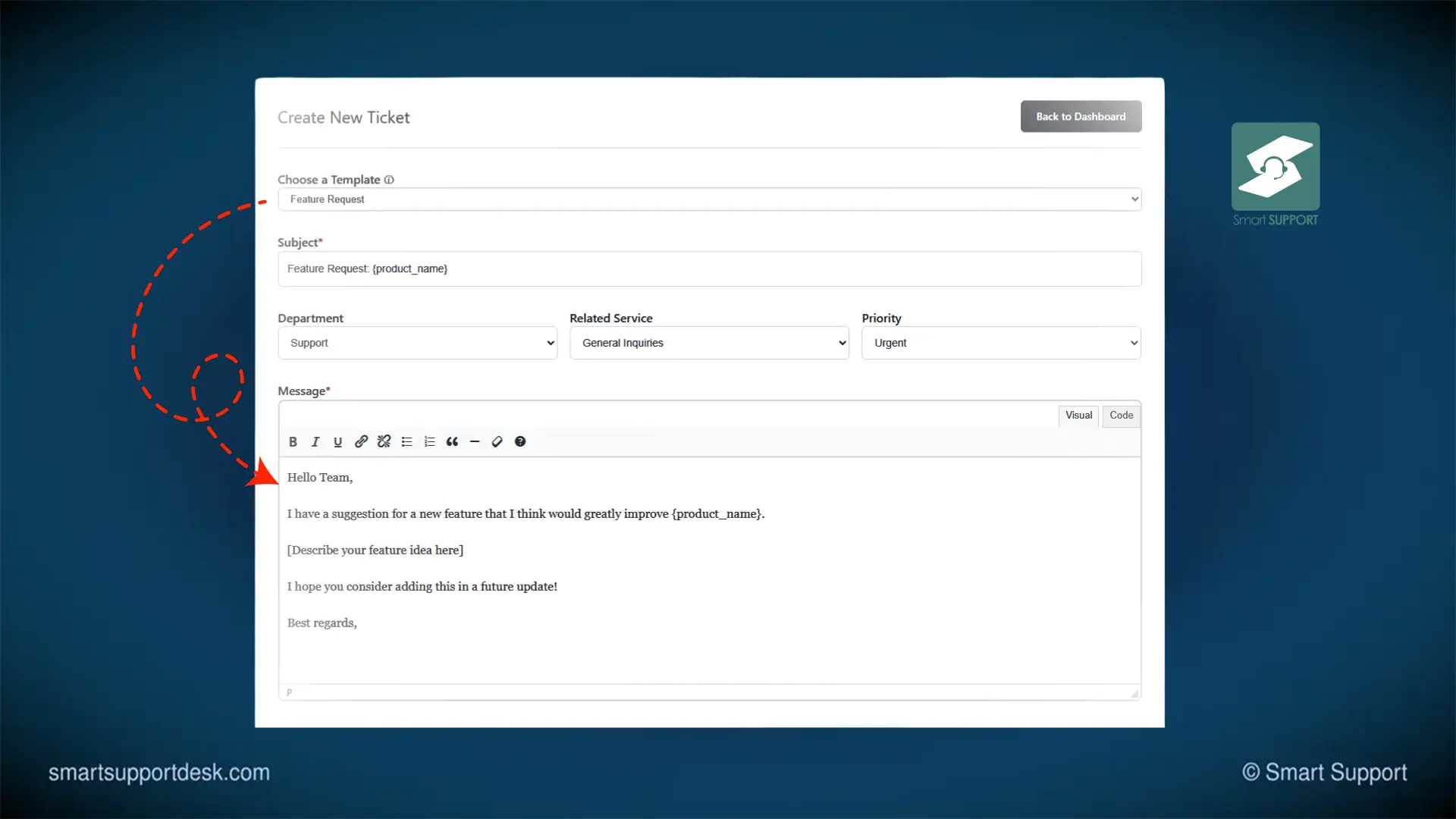
This article dives into how Ticket templates for the Smart Support helpdesk plugin can revolutionize your help desk efficiency, improve communication, and scale seamlessly across various support environments.
What Are Support Ticket Templates?
Ticket templates are pre-built forms or frameworks used during the ticket submission process. These templates provide users with clear, predefined fields to enter the right information based on the nature of their issue, be it technical, billing-related, or a general inquiry.
For example, a technical support template may include fields for:
- Software version
- Device type
- Operating system
- Error messages
- Steps to reproduce the issue
By standardizing what data is collected, these templates reduce back-and-forth communication, increase ticket clarity, and help support agents resolve issues more efficiently.
Key Benefits of Using Support Ticket Templates
1. Consistency Across Tickets
Without a structure, ticket submissions often vary wildly in format and detail. One user might send a one-sentence request, while another writes a page-long explanation. Ticket templates ensure that all tickets follow a consistent format, making it easier for agents to understand and respond effectively.
A study by HDI (Help Desk Institute) revealed that standardized ticket processes can reduce response time by up to 25%. That’s a significant boost in team productivity.
2. Faster Ticket Resolution
With the right information gathered at the time of submission, support agents no longer need to chase users for additional details. This leads to quicker diagnostics and resolutions.
“Templates have helped us reduce ticket resolution times significantly, especially for recurring issues,” says Priya Khanna, Head of Support at SaaSUp Solutions.
Support ticket templates also allow agents to categorize and assign issues automatically, saving valuable time.
3. Improved User Experience
For users, submitting a support ticket can be daunting, especially if they’re unsure what information is needed. A structured template offers a guided, user-friendly experience. Whether it’s a customer with a billing issue or an employee reporting a software bug, templates ensure they provide everything needed for a smooth resolution.
Additionally, templates reduce the frustration of repeated follow-up emails, enhancing overall satisfaction.
4. Better Analytics and Reporting
When every ticket is submitted through a structured format, your help desk software can easily aggregate and analyze the data. This allows you to:
- Track recurring issues
- Measure response and resolution times
- Identify agent workload
- Improve root cause analysis
For instance, if 40% of your tickets tagged via templates are related to “password reset,” you can consider implementing automation or self-service solutions.
5. Scalability Across Teams and Departments
Ticket templates for Smart Support are highly customizable, making them suitable for organizations of any size and across multiple departments. From IT help desks and customer service teams to HR and facilities management, templates can be tailored to fit various workflows.
Seamless Integration with Help Desk Tools
Modern ticketing systems like Zendesk, Freshdesk, and Jira Service Management support the use of ticket templates. Integration with these platforms ensures that your agents don’t have to change their workflows; instead, the templates enhance them.
“With template-driven ticketing, we’ve seen a 35% drop in misrouted tickets,” shares Alex Mendez, Operations Lead at a Fintech startup.
By integrating support ticket templates into your help desk software, you gain the dual benefit of automation and human efficiency.
How to Implement Support Ticket Templates
Here’s a quick guide to getting started with support ticket templates:
- Identify Common Issue Types – Start by categorizing your most frequent support requests.
- Create Custom Templates – Build templates with relevant fields for each category.
- Train Your Team – Ensure support agents understand how to use and manage templates.
- Gather Feedback – Continuously refine templates based on user and agent feedback.
- Track Performance – Use analytics to measure the impact of template usage on ticket resolution.
Support ticket templates are more than just a convenience; they’re a strategic tool to improve the efficiency, accuracy, and scalability of your support operations. By guiding users through the submission process, these templates reduce friction, improve communication, and let your support team focus on resolving issues rather than chasing details.
Whether you’re running an IT help desk, managing customer service for a SaaS product, or coordinating internal support across departments, support ticket templates can streamline your workflows and drive measurable improvements.
Enjoyed this article?
Subscribe to get new posts by email.

About the author
Smart Support Team builds tools for happier, faster support.
On this page
Related
You might also like
