All the Features You Need
Smart Support gives your team the WordPress help desk features needed to manage customer requests, organize support tickets, automate workflows, and provide a better support experience, all from WordPress.
Built as a flexible WordPress helpdesk plugin, Smart Support keeps your customer support ticket system connected to the website your team already uses.
Core WordPress Help Desk Features
Manage customer support more efficiently with powerful WordPress help desk features included in the Smart Support core plugin. Organize tickets, automate routine actions, control agent workflows, and keep your support desk manageable as ticket volume grows.
Ticket Archive & Restore
Keep active ticket lists clean by moving closed tickets into a dedicated archive. Archive tickets manually or automatically after a set number of days, then search, restore, or permanently delete archived tickets when needed.
Auto-Close Inactive Tickets
Automatically close support tickets after a configurable period of inactivity. You can also limit auto-closing to tickets waiting for a customer response and notify customers when their tickets are delayed or closed.
Advanced Ticket Search & Filters
Find support requests quickly using global search by ticket ID, subject, or message content. Filter your WordPress ticket system by status, department, state, and other available criteria to manage busy support queues more efficiently.
Internal Notes & Ticket History
Collaborate privately with your support team using agent-only internal notes. Smart Support also maintains ticket activity and change history, making it easier to understand previous actions before replying to a customer.
Secure Ticket Attachments
Allow customers and agents to exchange files within support tickets while controlling permitted file types, sizes, and attachment limits. Authorized users can securely access ticket attachments as part of the support workflow.
Agent Assignment & Ticket Visibility
Assign tickets to support agents and control which requests each agent can access. Configure visibility for assigned tickets, department tickets, or all tickets, and automatically assign a ticket when an agent replies.
Feature Highlights
Smart Support combines essential ticket management tools with a WordPress-native workflow, giving agents and customers a simpler way to communicate and resolve support requests.
These WordPress help desk features are designed to keep everyday support tasks accessible without forcing your team into a separate customer service platform.
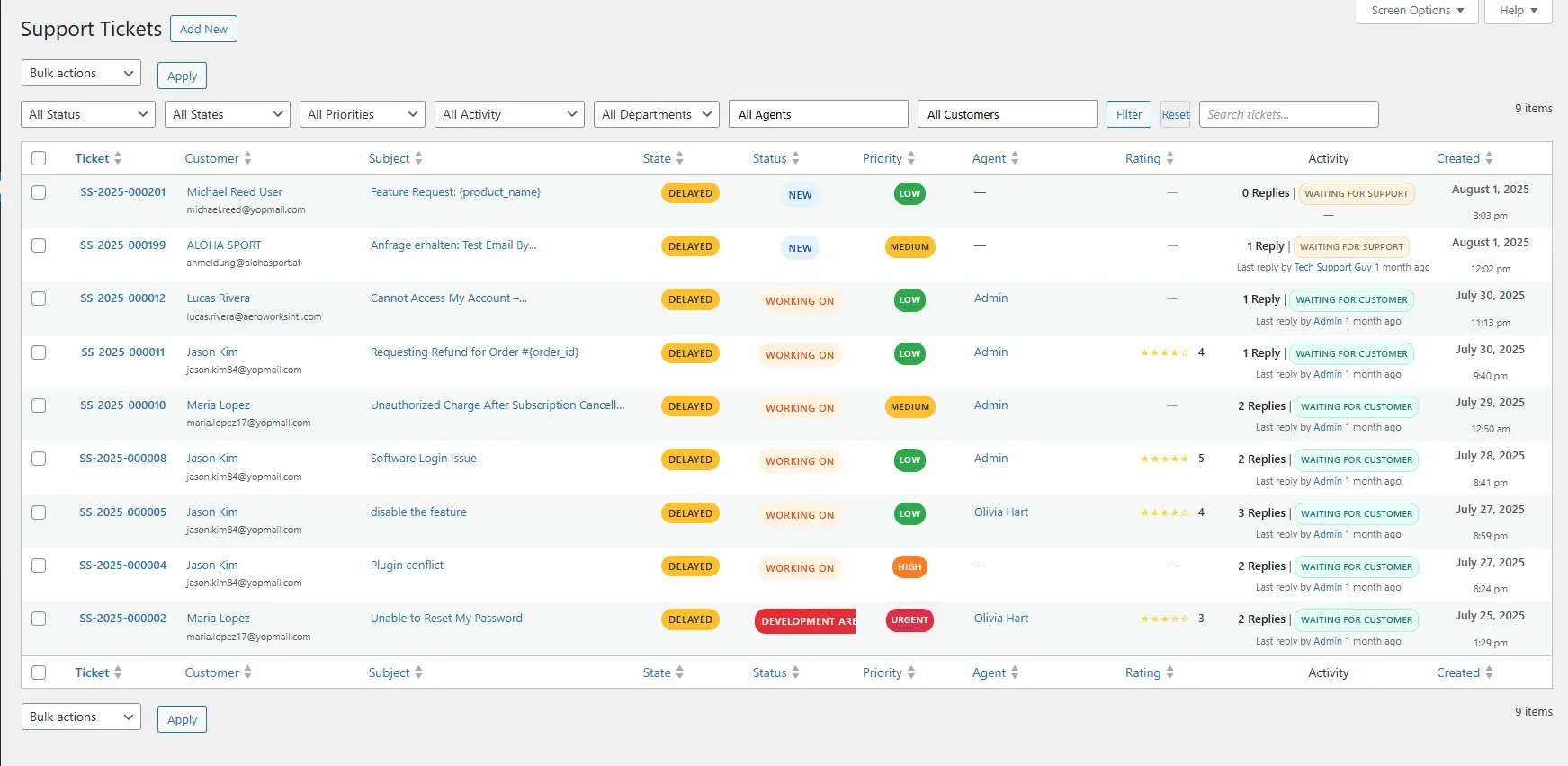
Clean Agent Dashboard
Give agents one organized workspace for reviewing, filtering, assigning, and responding to customer support tickets.
Smart Support keeps important ticket information visible so agents can focus on resolving customer issues instead of navigating a complicated help desk interface.
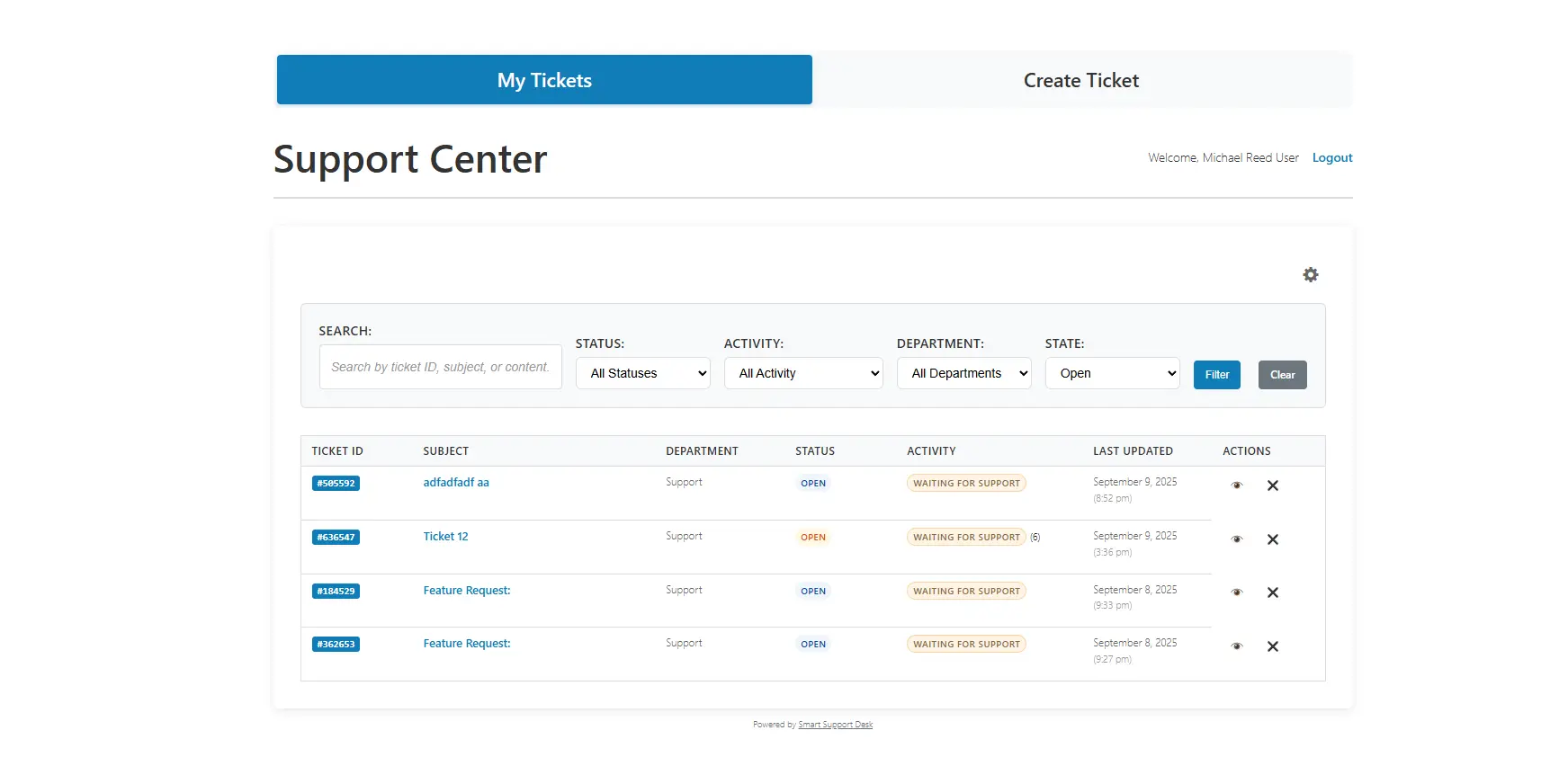
Branded Customer Portal
Provide customers with a professional front-end Support Center where they can submit new tickets, track existing requests, review ticket activity, and communicate with your support team.
Customize the experience to fit naturally with your WordPress website and brand.
Powerful Automations
Reduce repetitive support tasks by automating parts of your ticket workflow.
Create rules for ticket assignments, notifications, reminders, priorities, status changes, and escalations so your support team can spend more time helping customers.
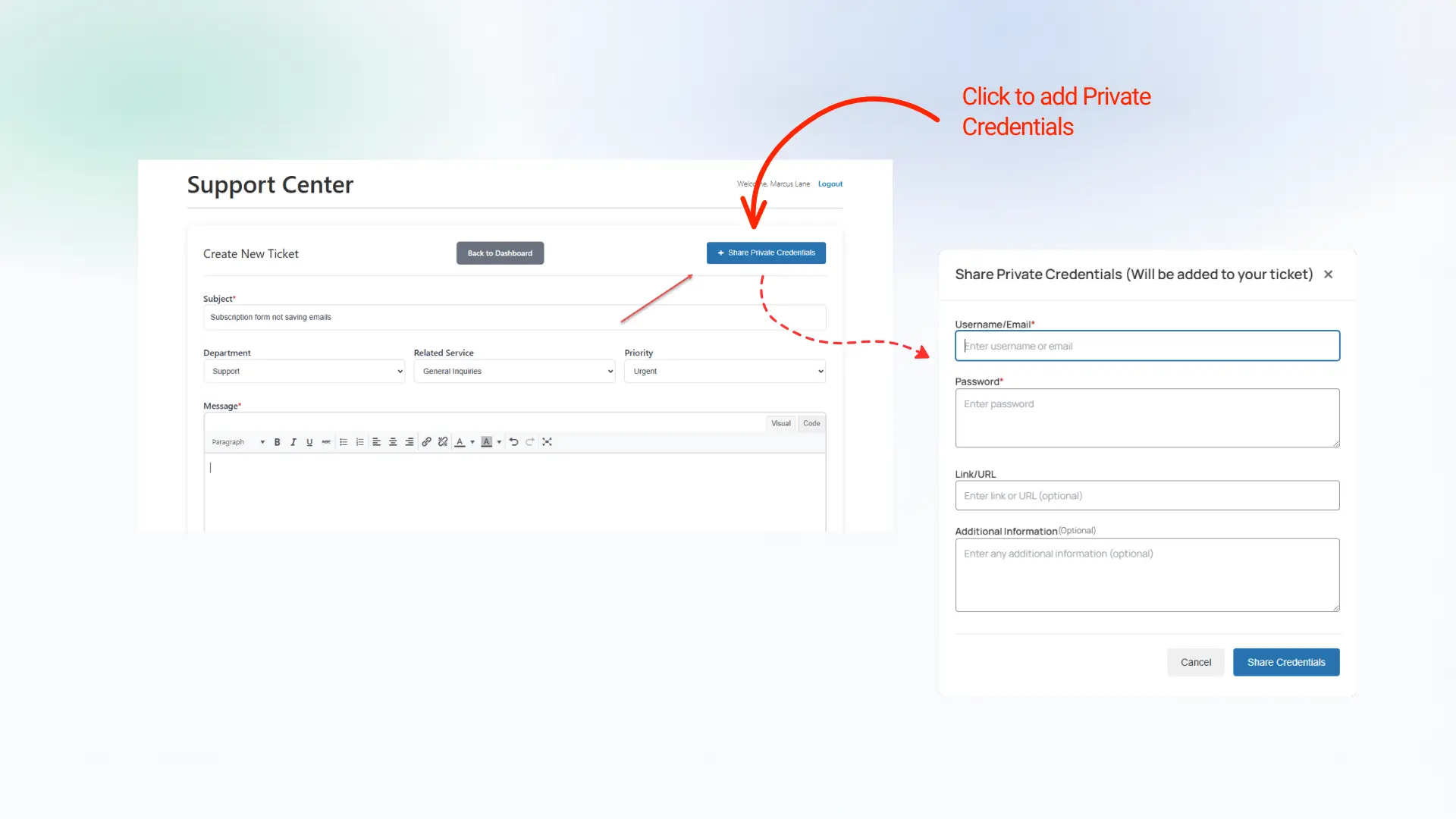
Secure Private Credentials
Let customers securely share usernames, passwords, URLs, and other sensitive details directly with a support ticket without placing them in the public conversation.
Support agents can access private credentials from the Smart Support backend, making it easier to troubleshoot customer issues while keeping sensitive information separated from standard ticket replies.
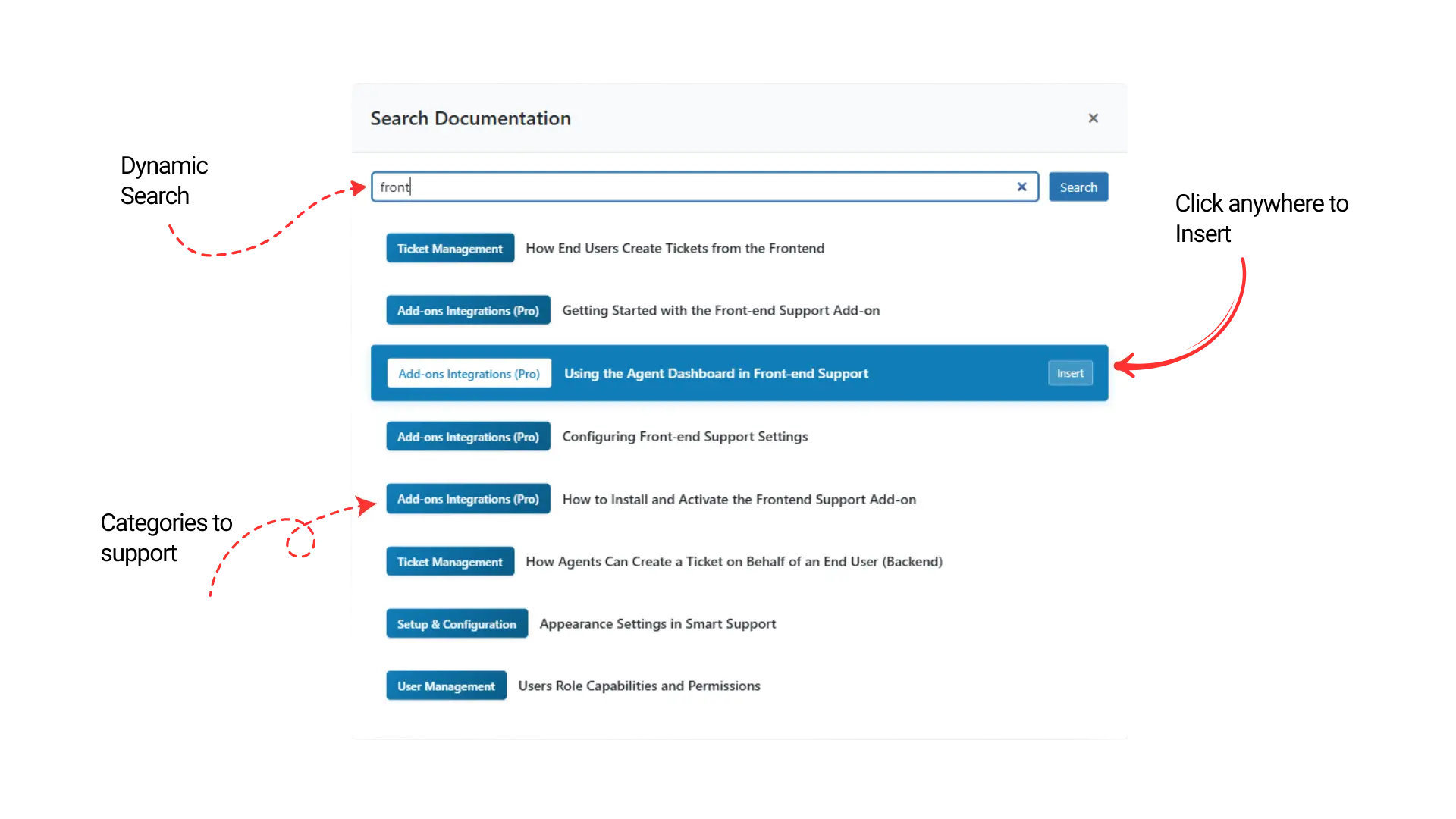
Knowledge Base in Ticket Replies
Integrate Smart Support with Instant Knowledge Base, a free WordPress knowledge base plugin, to search documentation directly from the ticket reply screen.
Agents can quickly find relevant articles and insert knowledge base links into customer responses without leaving the WordPress help desk, helping teams provide faster, more consistent answers while reducing repetitive support work.
Support Reports & Analytics
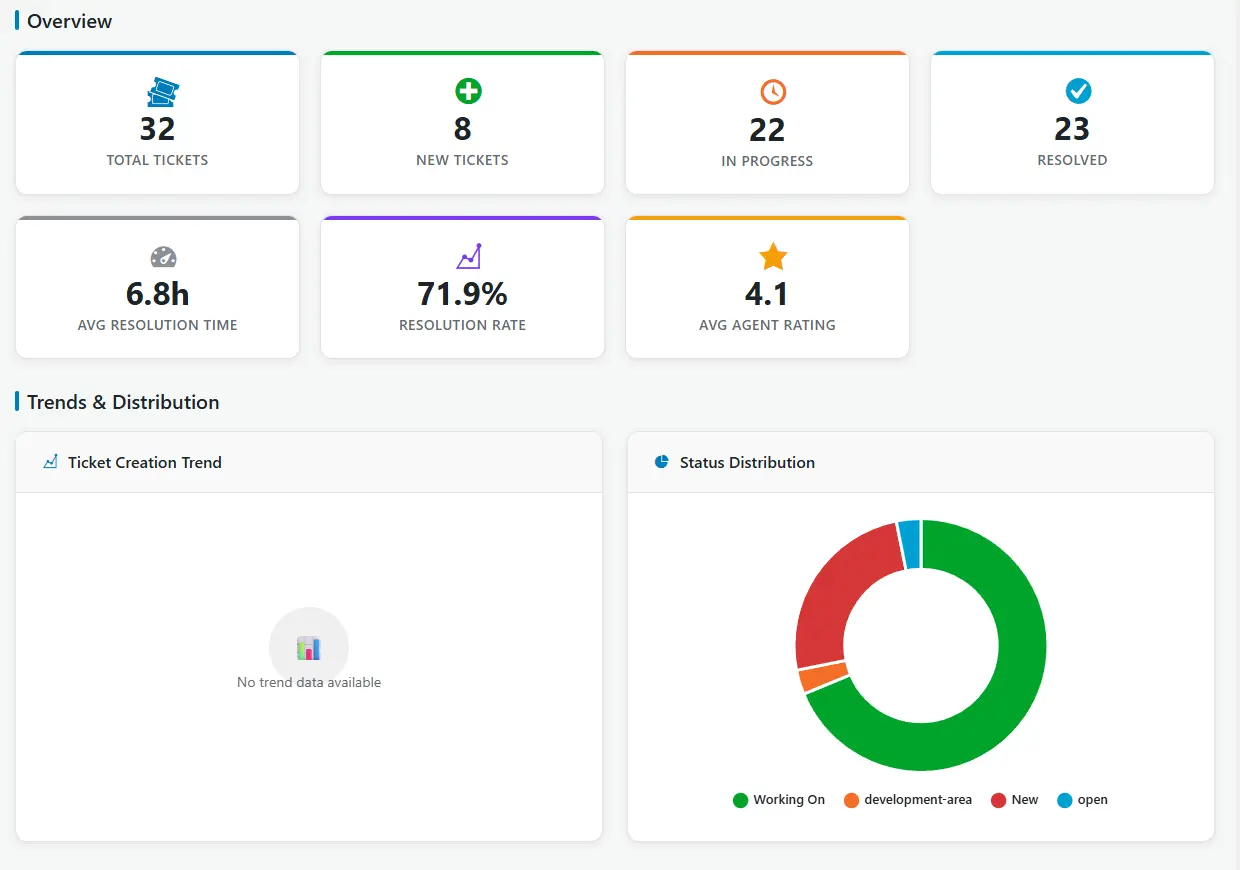
Track key help desk metrics with built-in Smart Support reports, including total tickets, new and in-progress requests, resolved tickets, average resolution time, resolution rate, and agent ratings.
Visual dashboards and ticket distribution charts help you monitor support performance, identify trends, and make better decisions to improve your WordPress customer support workflow.
Seamless Integrations
Connect Smart Support with tools your team already uses for email, chat, CRM, and more.
Extend your WordPress customer support system by connecting Smart Support with services and tools used across your website and business workflows.
Smart Support integrations and add-ons can help connect support with WordPress, WooCommerce, email workflows, Zapier automation, and other services.
This flexible approach lets you expand your WordPress ticket system as your support requirements grow.




Knowledge Base & Self-Service
Reduce repetitive support requests by giving customers access to useful answers before they need to open a ticket.
Smart Support combines your customer support ticket system with searchable documentation, FAQs, and self-service resources.
Searchable Knowledge Base
Publish helpful documentation that customers can search to find answers to common questions and troubleshoot issues independently.
Structured FAQs
Organize frequently asked questions into useful categories so customers can quickly find information relevant to their problem.
Community Feedback
Give customers opportunities to provide feedback on support content and help your team identify documentation that may need improvement or expansion.
Mobile-First Experience
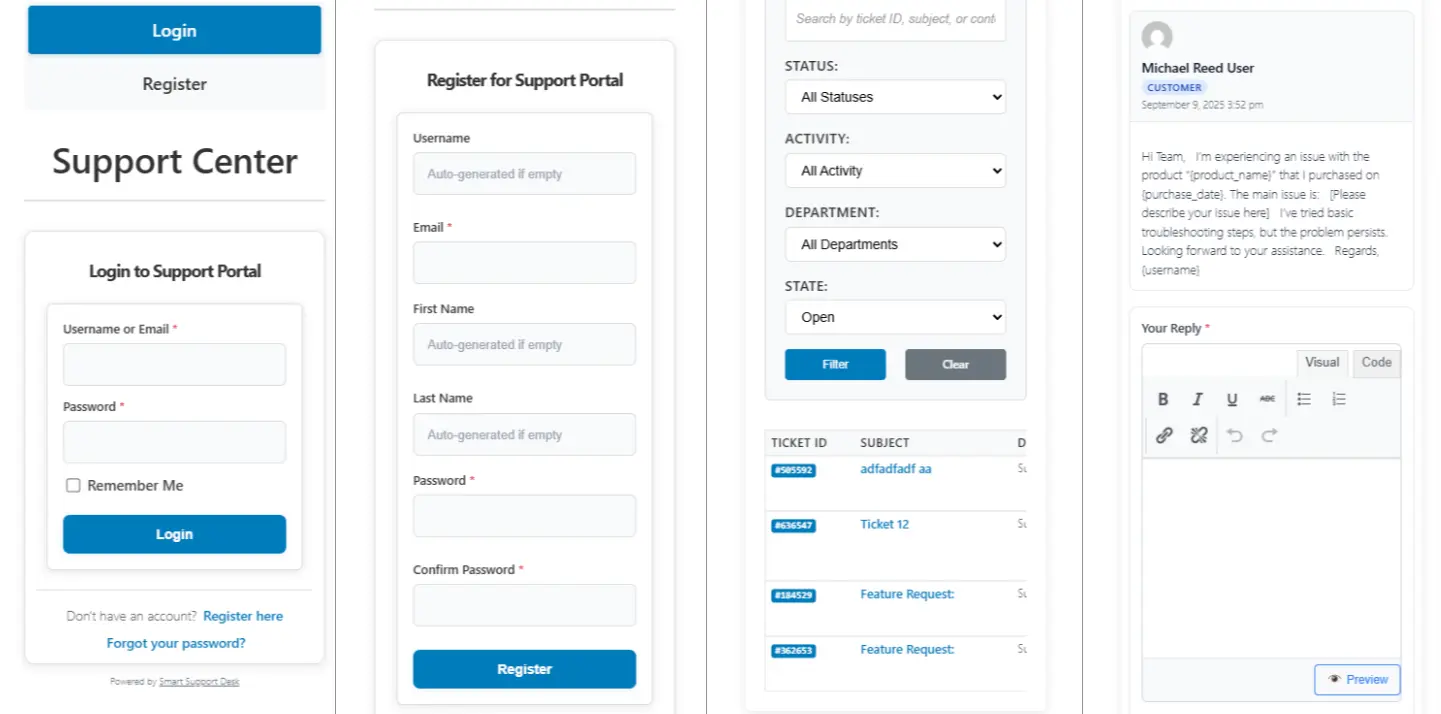
Agents and customers can access Smart Support seamlessly on any device with a fully responsive design.
Why Choose Smart Support?
Smart Support is more than a basic contact form or shared support inbox. It is a WordPress helpdesk plugin designed to bring ticket management, customer communication, agent workflows, and support tools directly into WordPress.
Self-Hosted & Under Your Control
Keep your help desk connected to your own WordPress environment and maintain greater control over your support data and website infrastructure.
Built for WordPress
Manage support without constantly switching between WordPress and a separate SaaS help desk dashboard.
Flexible & Customizable
Adapt support workflows, ticket fields, statuses, departments, customer-facing areas, and integrations to suit the way your business handles customer support.
Built for Growing Support Teams
Start with essential ticket management and expand your help desk with additional integrations, automation, reporting, and add-ons as your support requirements evolve.
A Complete WordPress Customer Support Ticket System
From ticket submission and agent replies to automation, analytics, customer self-service, and integrations, Smart Support brings essential WordPress help desk features together in one flexible support environment.
Whether you manage customer service for an agency, online store, service business, or growing WordPress website, Smart Support gives your team the tools to organize support requests and provide a more efficient customer experience.
Experience a Smarter WordPress Help Desk
Explore Smart Support and see how a flexible WordPress ticket system can simplify support ticket management for your customers and team.