

As businesses grow, so does the complexity of customer support. Smart Support is here to revolutionize your helpdesk experience by offering a comprehensive ticket system designed for WordPress. If you’re looking to streamline your support process, keep your agents engaged, and enhance customer satisfaction, take a closer look at these incredible features.
Master Your Dashboard Settings
- Enhanced Modal Functionality: Experience smoother interactions with a fixed modal system. Agents can open and close tickets with ease, using the escape key or simply clicking outside the modal.
- Responsive Design: From desktop to mobile, Smart Support ensures your support system is adaptable and user-friendly for all devices.
- Accessibility Features: With ARIA attributes and keyboard navigation, Smart Support guarantees that everyone can navigate your helpdesk with ease.
Stay on Top of Notifications
Never miss a reply again! Smart Support’s notification system ensures that agents are always informed:
- Comprehensive notifications for replies from users and other agents.
- Quick access to ticket links and timestamps directly from the dashboard.
- Responsive notification display for both mobile and desktop users.
Revolutionize Your Ticket Management
Internal Note Modal
Say goodbye to cumbersome tabbed notes! The new internal note modal offers:
- TinyMCE Editor Integration: Write notes with a rich text editor for better formatting.
- Smooth Animations: Enhance the user experience with seamless transitions.
- Escape Key Support: Close the modal quickly, keeping workflow uninterrupted.
Real-Time Ticket Count
Your Smart Support menu always displays the real-time open ticket count, with auto-updates reflecting the most current ticket status.
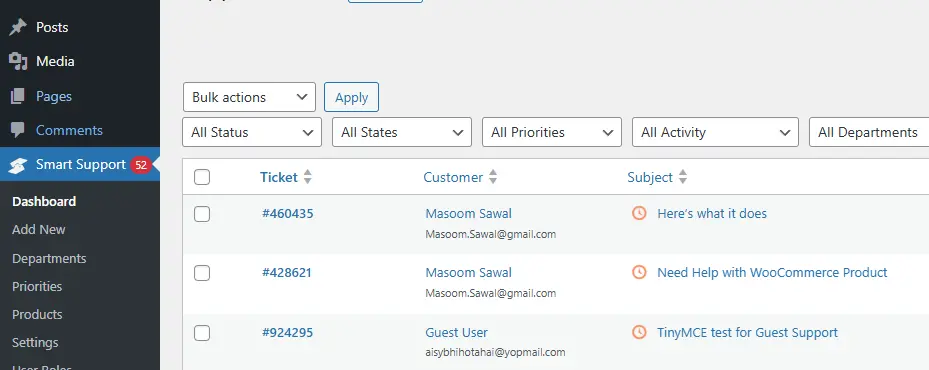
Optimize Your Workflow with Bulk Actions
Save time with AJAX-based bulk actions, allowing agents to:
- Close, reopen, delete, or assign multiple tickets at once.
- Receive real-time feedback and loading indicators to keep them informed of actions.
User Role and Ticket Management
Smart Support empowers your team with a robust user role system:
- Different Roles: Assign roles such as Support User, Support Agent, and Supervisor, ensuring a well-organized helpdesk.
- Real-Time Capability Assignment: Modify roles and permissions on the fly according to needs.
Engaging Users with Ratings and Analytics
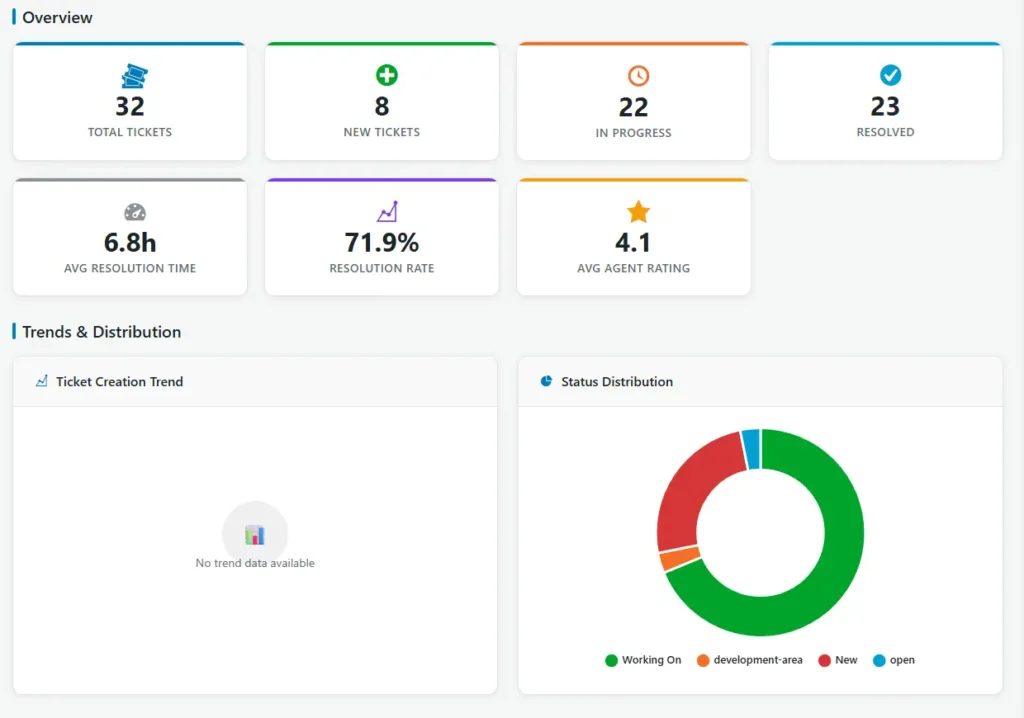
Customer feedback is vital! With the 5-star rating system, customers can rate agent replies:
- Instantly see average ratings and total ratings for each agent in the dashboard.
- Get analytics to help improve agent performance, ensuring the best service possible.
Advanced Search and Filters
Finding tickets is easier than ever with:
- Compact Search Bar: Quickly locate tickets with various filters and highlighted search results.
- Keyboard Shortcuts: Use Ctrl+K to search quickly and efficiently.
Smart Support is more than just a helpdesk plugin; it’s a complete solution designed to enhance efficiency and improve user experience. Whether you’re a small business or a larger organization, take advantage of these fantastic features to support your customers better and lighten your team’s workload. Start your journey towards exceptional customer service with Smart Support today!

About the author
Smart Support Team builds tools for happier, faster support.