

Customer support is changing fast, and businesses using WordPress can no longer rely on a basic ticket form alone. In 2026, users expect instant replies, organized conversations, secure communication, and a support experience that feels smooth from the first message to the final resolution. That is why understanding the best helpdesk features in 2026 is no longer optional for growing businesses.
For WordPress site owners, the challenge is not just finding a helpdesk plugin. The real goal is choosing a system that improves team productivity, shortens response times, and gives customers a better overall experience. This is where Smart Support becomes highly relevant. It is designed for WordPress businesses that want a practical, modern support desk with flexible premium add-ons that solve real operational problems.
The best helpdesk features in 2026 are not only about automation. They are also about clarity, convenience, workflow control, and security. A strong helpdesk should help agents work faster while making the customer journey easier and more professional. Below are the most important features every modern support team should consider, especially when building a support system with Smart Support for WordPress.
1. Email Bridge for Seamless Ticket Conversion
Email remains one of the most common support channels. Many customers still prefer sending a message directly instead of filling out a support form. That is why Email Bridge is one of the best helpdesk features in 2026.
With Email Bridge, incoming emails are automatically converted into support tickets. Your team can also reply from the ticket screen while keeping the full conversation history connected in one place. This reduces confusion, prevents message loss, and makes follow-ups easier.
For Smart Support users, this feature is especially valuable because it connects traditional email habits with a structured WordPress helpdesk workflow. Instead of forcing customers to change how they communicate, your support system adapts to them.
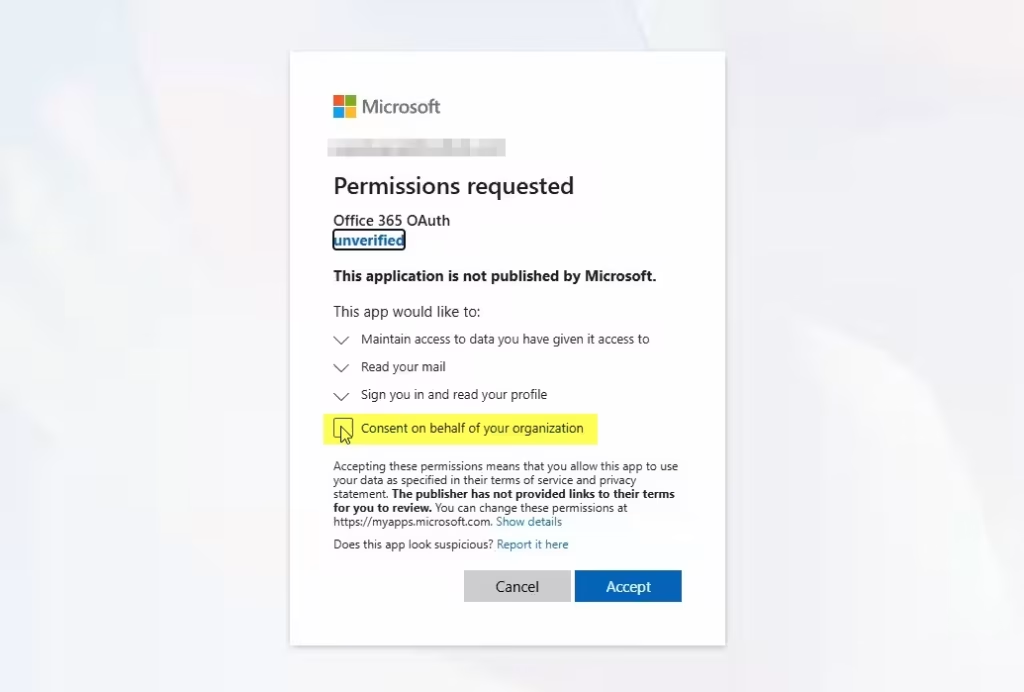
2. Canned Replies for Faster and More Consistent Responses
Support teams answer many of the same questions every day. Refund requests, login issues, account setup questions, and shipping concerns often repeat. That is why canned replies are one of the best helpdesk features in 2026 for improving efficiency.
With predefined responses, agents can insert polished, accurate answers with one click. This saves time, reduces typing errors, and keeps communication consistent across the team. It also helps new agents deliver professional replies without needing to write everything from scratch.
In Smart Support, canned replies make daily support easier and more scalable. As ticket volume grows, saved responses can significantly improve response speed without sacrificing quality.
3. Custom Status for Better Workflow Visibility
Basic statuses like open, closed, and pending are no longer enough for modern support operations. Teams often need more detailed workflow stages to reflect how tickets actually move through a process. That is why custom status management belongs among the best helpdesk features in 2026.
With custom statuses, you can create unlimited ticket stages using colors, icons, and workflow logic. This helps agents instantly understand where a ticket stands. It also improves internal coordination because everyone works with clearer expectations.
For example, a WooCommerce store may want statuses such as Awaiting Order Review, Escalated to Technical Team, Waiting for Customer Login, or Ready for Refund Confirmation. Smart Support makes that kind of workflow more practical and easier to manage.
4. Front-end Support Dashboard for Modern Teams
Many businesses do not want support agents working inside the WordPress admin panel. This is especially true for remote teams, outsourced staff, or client-facing support environments. A Front-end Support dashboard is, therefore, one of the best helpdesk features in 2026.
Smart Support’s Front-end Support add-on gives agents a dedicated workspace outside the WordPress backend. This creates a more professional support environment and limits unnecessary access to sensitive site controls. It also feels cleaner and more focused for support staff.
For agencies, membership sites, SaaS businesses, and client portals, this feature adds both convenience and security.
5. WooCommerce Ticket Integration for Store-Based Support
E-commerce support is far more effective when tickets are linked to real customer purchases. That is why WooCommerce Tickets is one of the most valuable and best helpdesk features in 2026 for WordPress businesses running online stores.
When agents can see order details directly inside the support workflow, they resolve issues faster. Instead of asking customers to copy order IDs or explain purchase history, the system provides context immediately. This leads to better support for delivery issues, refund requests, product problems, and account questions.
Smart Support’s WooCommerce integration is especially useful because it brings store support into a single workflow. For growing online businesses, that convenience can make a major difference.
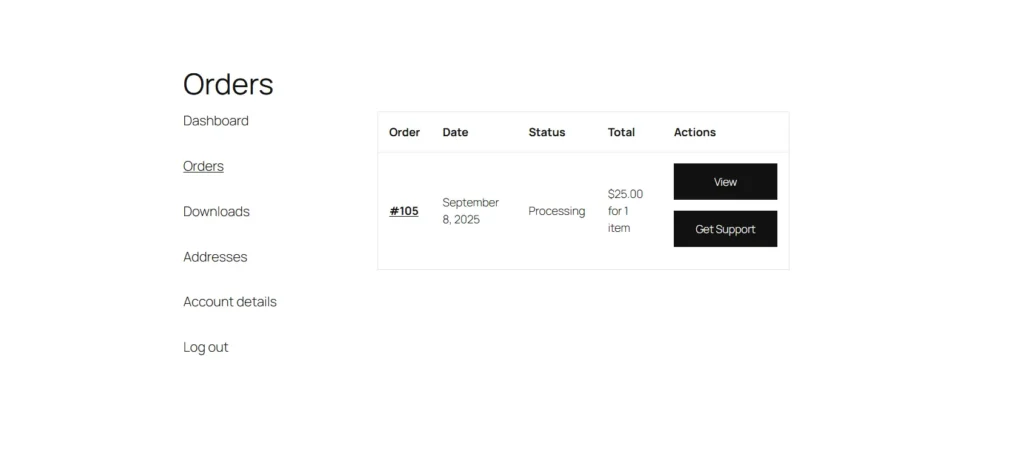
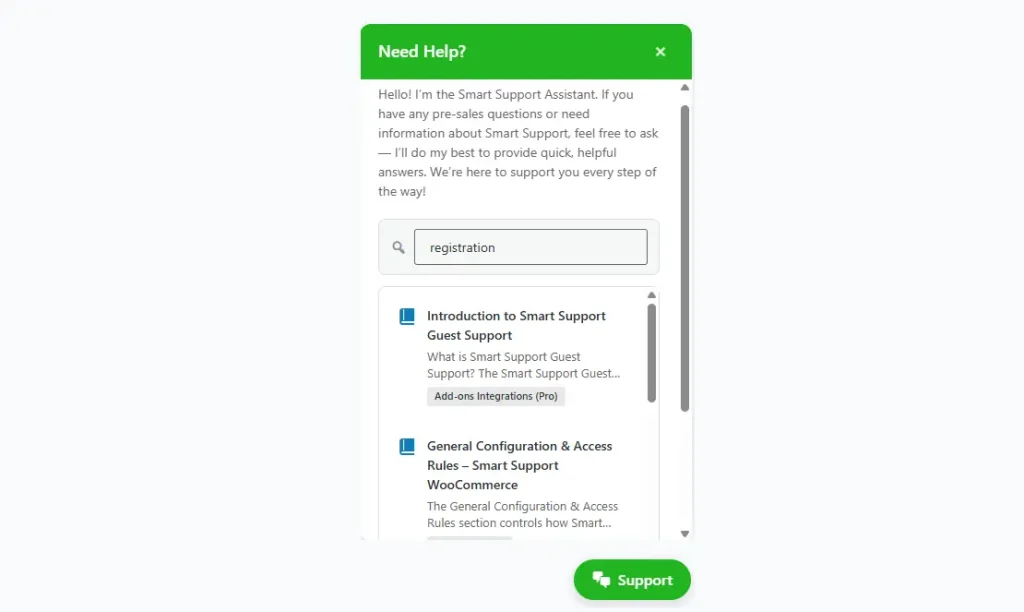
6. Smart Widget for Instant On-Page Support
Customers want help without leaving the page they are already on. A floating support widget is now one of the best helpdesk features in 2026 because it reduces friction and encourages faster interaction.
Smart Widget allows users to search documentation, view tickets, and contact support directly from a floating interface. This improves accessibility and creates a smoother support experience, especially for product pages, checkout pages, and logged-in user dashboards.
For WordPress site owners, this feature can improve both support engagement and customer satisfaction because help is always within reach.
7. Auto Responder for Faster First Contact
Even when human agents are not immediately available, customers still want acknowledgment. Auto Responder has become one of the best helpdesk features in 2026 because it helps businesses respond instantly based on rules.
Smart Support can automatically send replies based on ticket keywords, department, product, business hours, or status. This confirms receipt, sets expectations, and keeps customers informed before an agent steps in.
A good auto response does more than say “we received your message.” It guides the customer, offers next steps, and reduces anxiety during waiting time.
8. Documentation Integration for Self-Service and Faster Replies
Support teams should not answer every question manually. In 2026, self-service remains one of the smartest ways to reduce workload and improve speed. That is why documentation integration is one of the best helpdesk features in 2026.
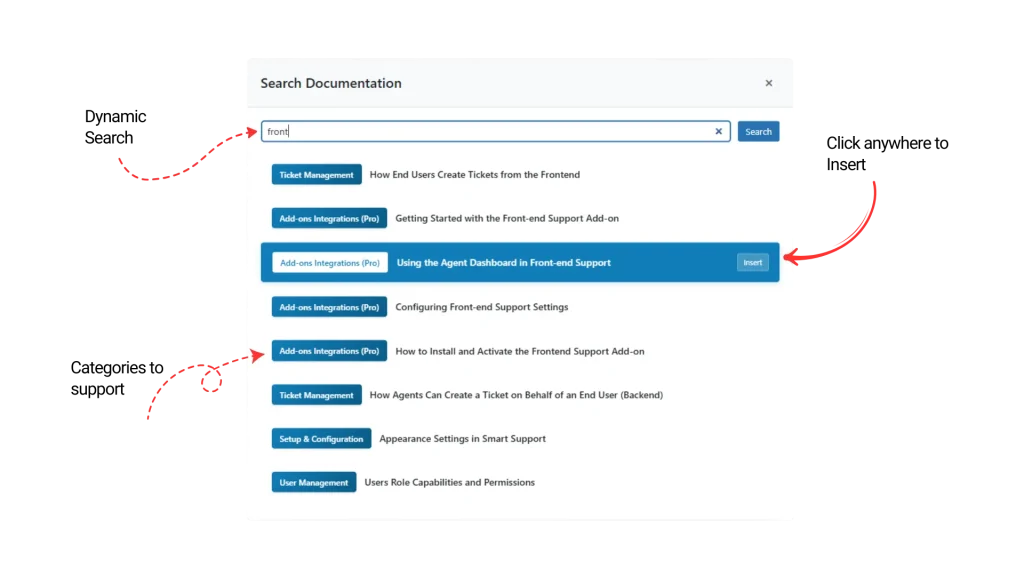
With Smart Support’s Documentation add-on, agents can search and insert knowledge base articles directly into replies. This speeds up support, improves consistency, and encourages customers to use self-help resources in the future.
This feature is particularly helpful for technical products, digital tools, plugins, memberships, and SaaS services where repeat questions are common.
9. Private Credentials for Secure Sensitive Data Sharing
Customers sometimes need to share usernames, passwords, access URLs, or admin details. Sending that information by regular email is risky. That is why Private Credentials is one of the best helpdesk features in 2026.
Smart Support allows secure credential sharing inside the ticket system, reducing exposure through inboxes and third-party chat tools. This is a major advantage for WordPress agencies, developers, hosting support teams, and plugin-based businesses that frequently require site access.
Security is no longer a bonus feature. It is a core requirement.
10. SLA Management for Accountability
As customer expectations rise, support teams need measurable standards. SLA tools help track response targets and resolution deadlines, making them one of the best helpdesk features in 2026.
With SLA management in Smart Support, businesses can define business hours, monitor compliance, track time to first response, and prevent delays through alerts. This makes performance easier to measure and improves operational discipline.
For growing businesses, SLAs also help build trust because support becomes more predictable and professional.
11. Time Tracking for Productivity and Billable Support
Time Tracking is especially important for agencies, technical support teams, and businesses offering paid support. It deserves a place among the best helpdesk features in 2026 because it shows exactly how time is spent.
By tracking time per ticket, department, or client, Smart Support helps managers measure productivity, identify support bottlenecks, and handle billable work more transparently. This is useful not only for reporting but also for improving staffing decisions.
12. Productivity Suite for Smarter Team Operations
A helpdesk should do more than open and close tickets. It should make support work easier at every step. That is why a broader Productivity Suite is one of the best helpdesk features in 2026.
Smart Support’s productivity tools can include edit history, ticket splitting, reply editing, restore functions, printing, personal notes, task widgets, and CC controls. These smaller workflow improvements often make the biggest long-term impact because they remove daily friction for agents.
The result is a support environment that feels more complete, more manageable, and more efficient.
The best helpdesk features in 2026 are the ones that combine speed, clarity, security, and flexibility. Businesses using WordPress need more than a basic ticket system. They need a support solution that fits modern expectations and scales with their workflow.
Smart Support stands out because its premium add-ons are not random extras. They solve practical support problems. From Email Bridge and canned replies to WooCommerce tickets, SLA control, private credentials, and productivity tools, Smart Support gives WordPress businesses a stronger foundation for customer service.
If your goal in 2026 is to build a faster, cleaner, and more professional support experience inside WordPress, these are the features that matter most.

About the author
Smart Support Team builds tools for happier, faster support.