Setup & Configuration
How to Install an Add-on?
Once you complete your purchase, whether it’s an individual add-on or part of a bundle, your add-on(s) will be instantly available to download. In this guide we will learn how to Install Smart Support add-on
Steps to Install an Add-on
- Download the Add-on
-
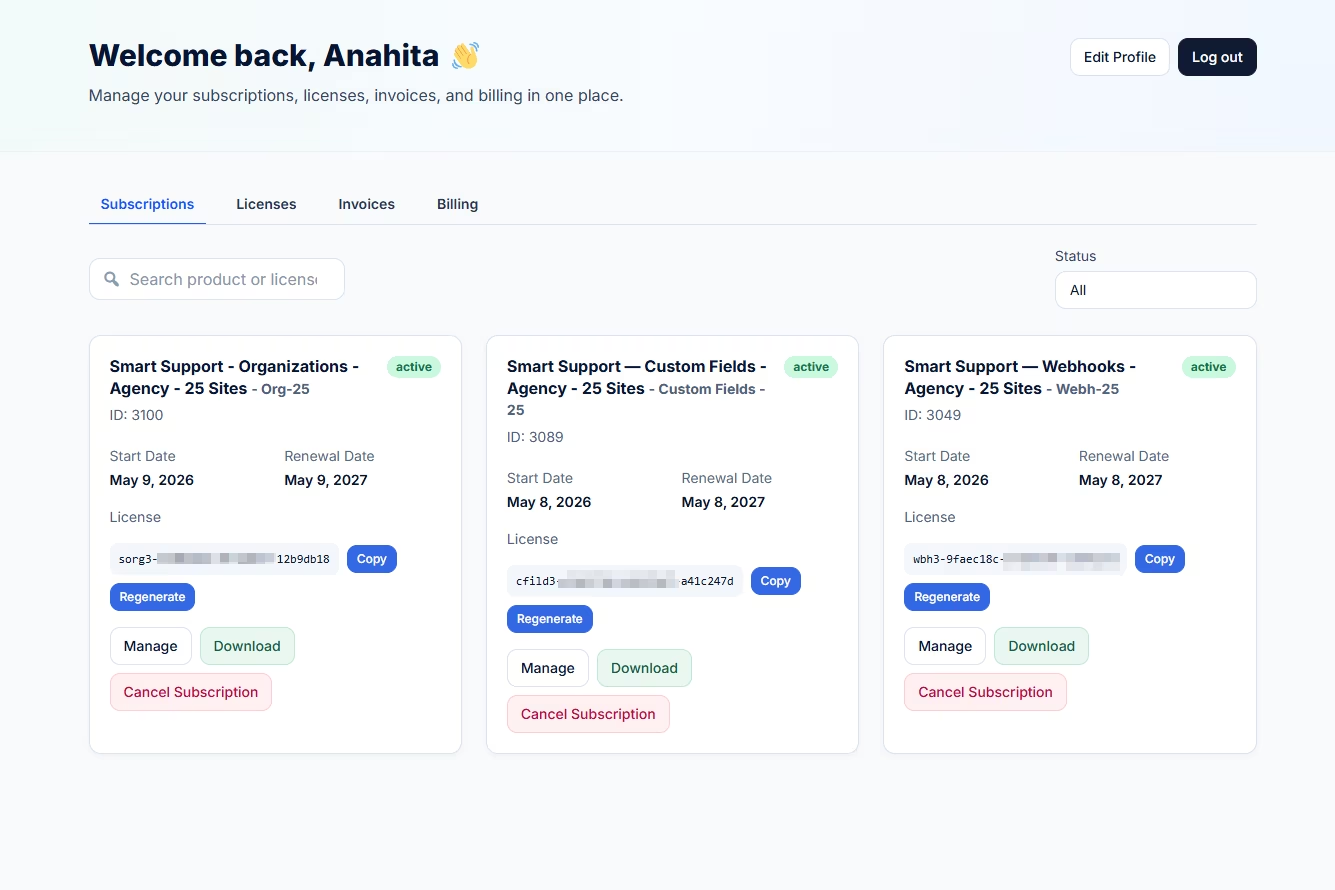
After purchase, go to Login or My account.
- Click on the Subscription Page if you are not already on it.
- Search for the add-on you want to download, or look for the add-on name.
- Click on the Download button. It will download the add-on file (in
.zipformat).
-
- Upload to WordPress
-
- Log in to your WordPress Admin Dashboard.
- Go to Plugins > Add New > Upload Plugin.
- Choose the downloaded
.zipfile and click Install Now - Once installed, click Activate Plugin to enable it.
Activate Your License
-
- Go to WP Dashboard > Smart Support > License.
- Enter your license key (provided after purchase).
- Click Activate License.
- Once activated, the add-on features will be fully available.
Tip: Make sure your license is activated to receive automatic updates and support for the add-on.